Guide 18
Investigate repeated Wi-Fi disconnections
Measure the symptom, compare like-for-like conditions and draw a conclusion supported by the recorded evidence.
Where you will workActivity Log · My networks · Continuous latency
AllowDepends on the symptom and observation period
Watch the key steps
This related overview shows understand a change you noticed nearby. Follow the question-specific steps below to complete your investigation.
A 43-second narrated overview. Follow the full instructions below when you try it.
Read the video transcript
Find the item. Start in Visible Hotspots. Find the Wi-Fi network or Bluetooth device, using search and filters when the nearby list is busy.
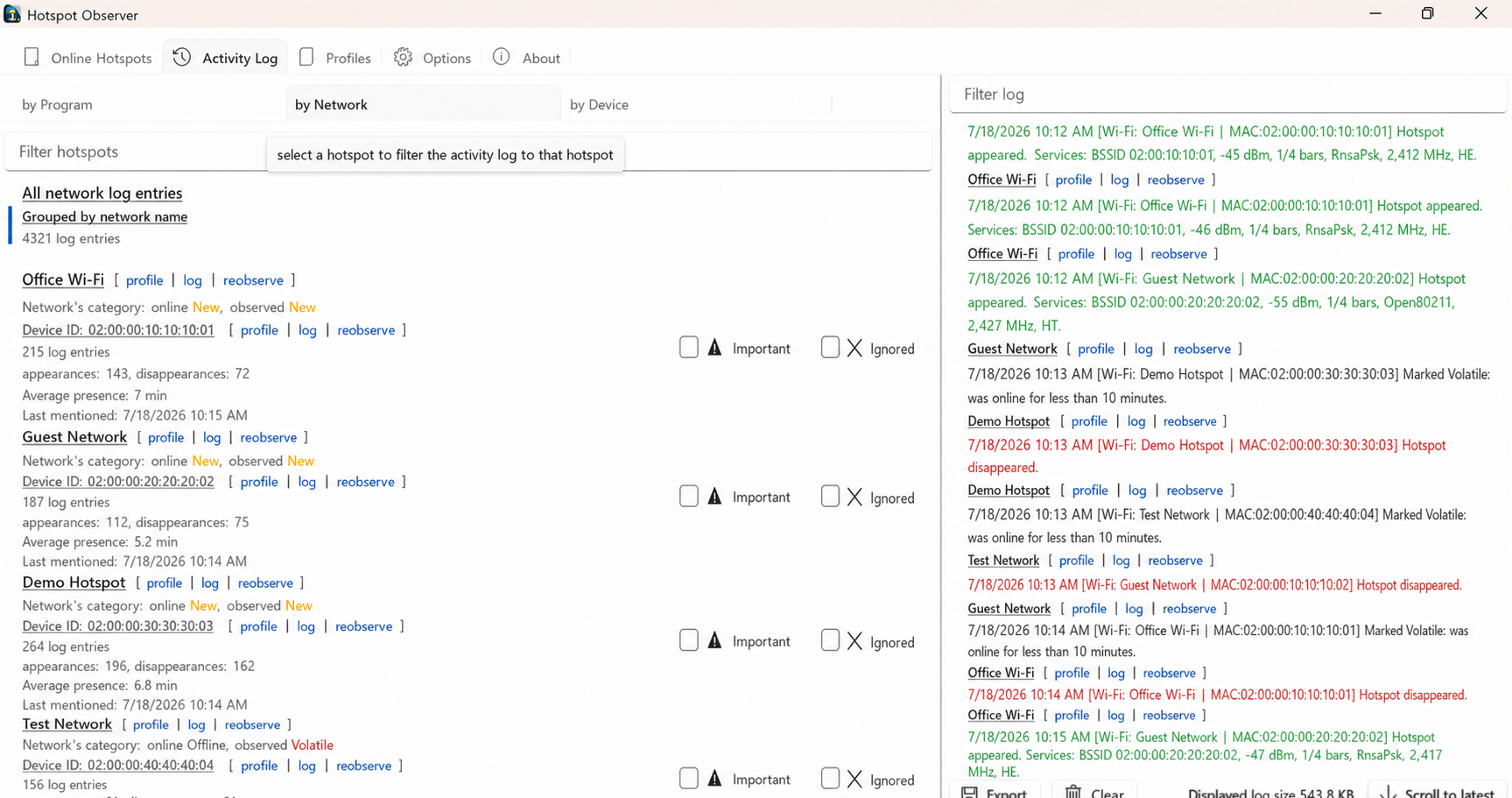
Open its events. Choose Log on the item. In Activity Log, narrow the time range and use Network or Device grouping to inspect the matching events.
Read the change. Read appearance and disappearance rows, plus signal or service changes when tracking was enabled. Scroll to latest returns you to the newest matching entry.
Keep the item recognizable. Save a note in Profiles. A failed scan leaves earlier observations stale; it does not prove disappearance. Missing events may reflect disabled tracking or expired history.
Open the app view at full size to inspect its controls.
Before you start
Give your result a useful basis
- Use only networks and devices you are authorized to investigate.
- Record the location, time and active connection. Keep useful history and compare similar observation conditions.
Measure
Note when the interruption occurs. Inspect Activity Log and My networks around that time, including connection changes, automatic switching outcomes and any loss of observation coverage.
Compare
Distinguish a nearby network disappearing from this computer disconnecting. During a recurrence, compare continuous latency to the gateway and an internet destination, then investigate DNS if names fail while IP destinations respond.
Interpret
Correlate the time of the symptom with recorded changes. Check whether the access point changed, the radio became unavailable, or connectivity remained but name resolution failed. Export the relevant interval before its retention expires.
Check what you gained
You can now check that
- You have measurements and a comparison relevant to your question, with observation gaps and uncertainties preserved.
Updated by Hotspot Observer · 2 November 2026