Guide 16
Choose an available Wi-Fi network
Measure the symptom, compare like-for-like conditions and draw a conclusion supported by the recorded evidence.
Where you will workRecommendations · Statistics · My networks
AllowDepends on the symptom and observation period
Watch the key steps
This related overview shows choose wi-fi for the work you need to do. Follow the question-specific steps below to complete your investigation.
A 45-second narrated overview. Follow the full instructions below when you try it.
Read the video transcript
Record useful history. Keep Hotspot Observer running where and when you use Wi-Fi. Enable persistent Activity Log history so comparisons have recorded evidence.
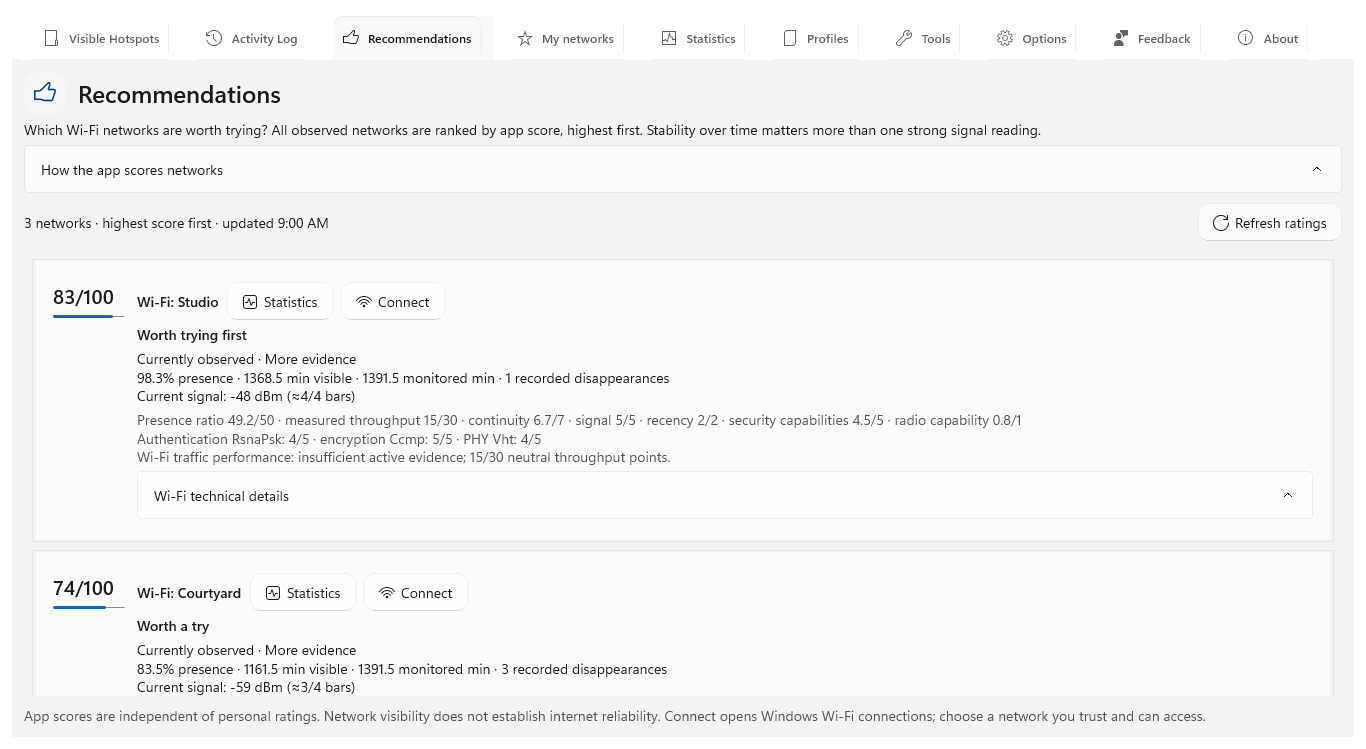
Read the recommendation. Open Recommendations and inspect the rating explanation. Compare recorded presence and supporting factors rather than relying on a single signal reading.
Check the history. Open Statistics for candidate networks. Compare the same period, monitoring coverage and disappearances. Unobserved time stays unknown.
Try and review. Use a network Windows can join, then review its observed sessions in My networks. Add your experience. A higher recommendation does not guarantee internet access or future stability.
Open the app view at full size to inspect its controls.
Before you start
Give your result a useful basis
- Use only networks and devices you are authorized to investigate.
- Record the location, time and active connection. Keep useful history and compare similar observation conditions.
Measure
Observe candidates from the place where you will work. In Recommendations, read the rating, evidence and explanation for each accessible network, including whether its history is limited.
Compare
Use Statistics to compare the same period and monitoring coverage. Separate access points sharing a network name by their recorded identity. After connecting, run the same connection checks on each candidate you are authorized to use.
Interpret
Use the rating to choose what to try first, then check whether the actual connection meets your needs. Read My networks for connected sessions rather than treating nearby visibility as connection success.
Check what you gained
You can now check that
- You have measurements and a comparison relevant to your question, with observation gaps and uncertainties preserved.
Updated by Hotspot Observer · 2 November 2026