Guide 30
Check radio requirements and protect your data
Measure the symptom, compare like-for-like conditions and draw a conclusion supported by the recorded evidence.
Where you will workOptions · Connection details · Visible Hotspots
AllowDepends on the symptom and observation period
Watch the key steps
This related overview shows keep useful history without an overwhelming list. Follow the question-specific steps below to complete your investigation.
A 46-second narrated overview. Follow the full instructions below when you try it.
Read the video transcript
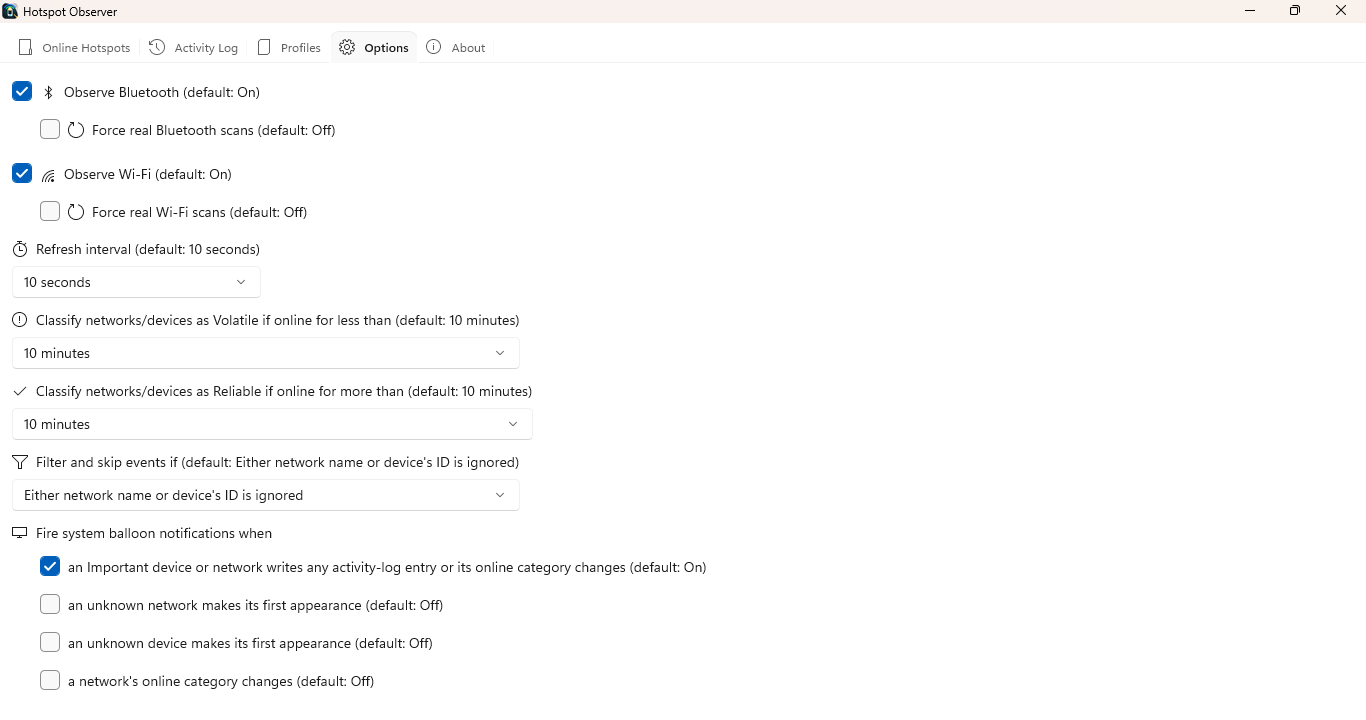
Choose what to observe. In Options, enable Wi-Fi, Bluetooth, or both. Observe only saved and open Wi-Fi networks narrows new Wi-Fi observations while preserving existing history.
Choose event detail. Choose signal and service-list tracking independently. Log only bar rating changes reduces smaller signal events when you do not need that detail.
Keep enough history. Enable persistent Activity Log history. Choose retention that covers your comparison period. Reducing retention can remove older evidence needed by Statistics.
Review ignored items. Ignore irrelevant items to exclude them from recommendations and statistics. Review or restore them in Options. Use a note instead when you still need an item's normal history.
Open the app view at full size to inspect its controls.
Before you start
Give your result a useful basis
- Use only networks and devices you are authorized to investigate.
- Record the location, time and active connection. Keep useful history and compare similar observation conditions.
Measure
Use a supported Wi-Fi adapter and driver for Wi-Fi observations, or Bluetooth hardware for device observations. Review operating-system permissions and the adapter-unavailable notice if results are missing. Linux uses NetworkManager and BlueZ.
Compare
Check available fields against the actual adapter and driver, not another computer's results. Review Options for persistence and retention, and the website Privacy statement for online actions and data removal.
Interpret
Observations and profiles are stored locally according to your settings. Speed, latency, DNS and route tools send requests when run; entered names and destinations reach the services involved. Update and public-content checks also contact online services.
Check what you gained
You can now check that
- You have measurements and a comparison relevant to your question, with observation gaps and uncertainties preserved.
Updated by Hotspot Observer · 2 November 2026