Guide 24
Distinguish a disappearance from an observation gap
Measure the symptom, compare like-for-like conditions and draw a conclusion supported by the recorded evidence.
Where you will workStatistics · Activity Log · My networks
AllowDepends on the symptom and observation period
Watch the key steps
This related overview shows check whether a network stays visible through your day. Follow the question-specific steps below to complete your investigation.
A 48-second narrated overview. Follow the full instructions below when you try it.
Read the video transcript
Keep one context. Open Statistics. Choose one radio and date range for every comparison. Check Overview coverage: unknown monitoring time is not evidence of absence.
Inspect presence and gaps. Open Presence to compare timelines, disappearances and complete interval durations. Interrupted or date-clipped intervals are excluded from complete-duration summaries.
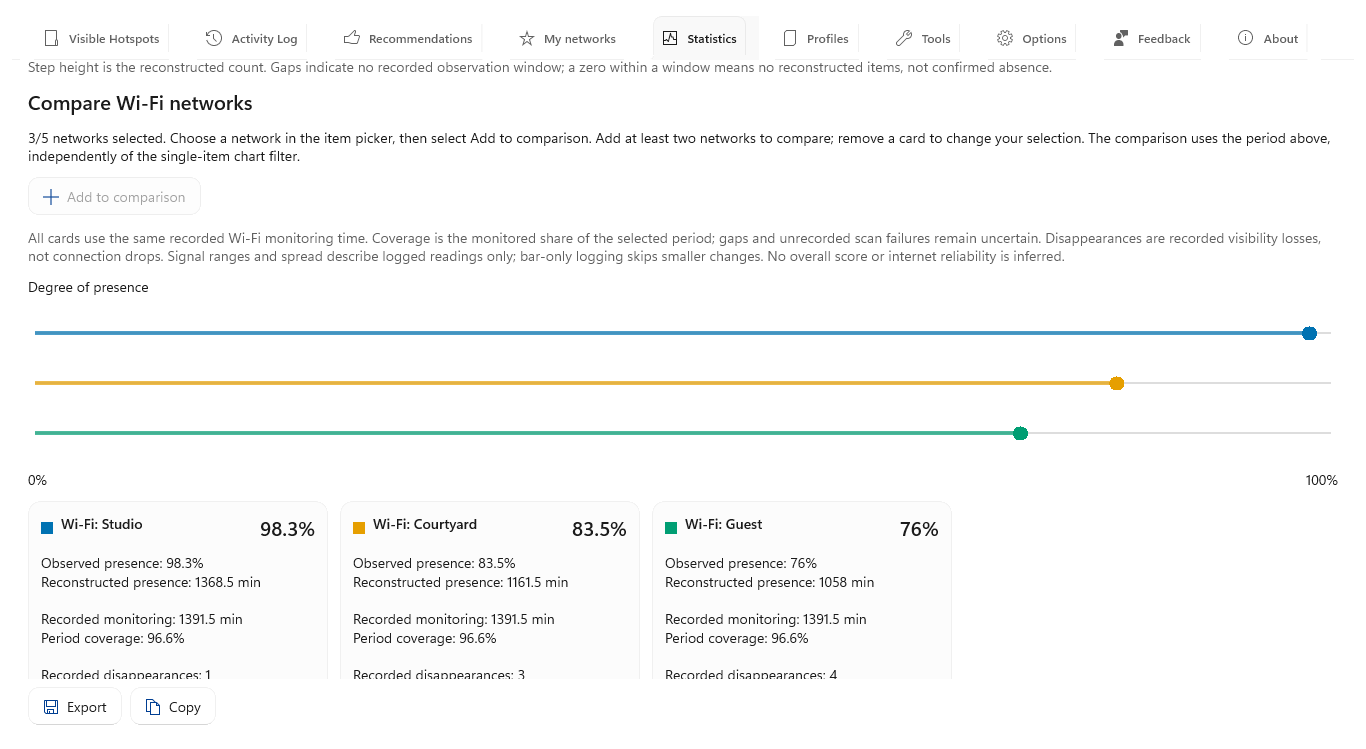
Compare candidates and patterns. Add up to five Wi-Fi networks to comparison. Use Time patterns to inspect weekday and hourly averages, checking recorded minutes behind each slot.
Check supporting details. Inspect Signal and Details for retained readings and events. Export the prepared view when you need a record. Presence describes nearby visibility, not connection uptime or future stability.
Open the app view at full size to inspect its controls.
Before you start
Give your result a useful basis
- Use only networks and devices you are authorized to investigate.
- Record the location, time and active connection. Keep useful history and compare similar observation conditions.
Measure
Inspect the relevant Statistics timeline and Activity Log interval. Look for sleep, app closure, scan failures, disabled monitoring or an unavailable adapter around the missing observations.
Compare
Compare the item's recorded presence with the monitoring coverage of that period. Check actual connected sessions separately; another visible network is useful context but does not establish uninterrupted coverage on every adapter.
Interpret
Treat a recorded disappearance during valid monitoring as an observation event. Treat intervals with missing monitoring as unknown, and preserve that distinction in any exported report or conclusion.
Check what you gained
You can now check that
- You have measurements and a comparison relevant to your question, with observation gaps and uncertainties preserved.
Updated by Hotspot Observer · 2 November 2026